Don Figuerres
  • Home
  • About
  • Skills
  • Experiences
  • Projects
  • More
    Accomplishments Education Recent Posts
  • Posts
  • Dark Theme
    Light Theme Dark Theme System Theme
  • Posts
  • Cloud
    • AWS
      • Hosting a Website Using AWS S3
  • Hardware
    • Lenovo Swap Fn and Ctrl Keys
  • Programming Tutorials
    • Factorial
    • Fibonacci Sequence
  • Software Development
    • Common Tools for Software Development
    • Java
      • Java Performance Testing Using Zerocode
    • Tmux Settings
    • VS Code
      • Python Test Debugging Does Not Hit Breakpoint
  • Version Control
    • Git
      • Changing Committer, Author, and Email in Git
      • Git Connection Errors During Cloning
      • Global gitignore File
      • Multiple SSH Keys
  • Virtualbox
    • CentOS 7 VirtualBox 5.2 Error
  • WSL2
    • Dark Theme in WSL2 GUI
Hero Image
Setting up multiple SSH keys in a single machine

This is helpful in order to authenticate using SSH keys in a single machine for multiple accounts. For example, you want to setup SSH keys in GitHub to authenticate for you work account and another SSH key to authenticate for your personal account. Step 1: Generate SSH keys ssh-keygen -t ed25519 -C "<your_email@example.com> <your organization name> <service>" # Example ssh-keygen -t ed25519 -C "myaccount@gmail.com MyOrg GitHub" When asked for the file path of the key, make sure to add more context to the file name. I usually use encryption_service_org.

Monday, May 5, 2025 Read
Hero Image
Global gitignore File

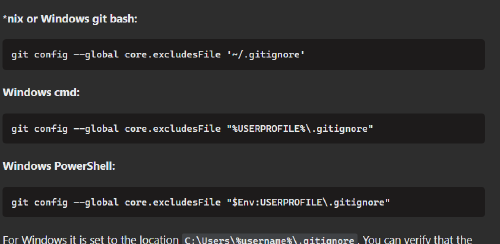
When working with a version control system, you normally have files that are not ignored in some projects but you would like to ignore in globally in your workstation environment. The ways to do that are listed below. Option 1: The git/ignore file in the home directory The user’s ignore file is mentioned briefly in the Git documentation. You can add here your ignore rules the same way as you do it with your project .gitignore rules.

Friday, July 1, 2022 Read
Hero Image
Git Connection Errors During Cloning

I got these errors recently when I was trying to clone one of our repos. Unstable network connection or network infrastructure may have caused this so as a workaround, you can clone the repo “bit-by-bit”. $ git clone ssh://git@your.host.com/yourrepo.git Cloning into 'projectdir'... ... remote: Enumerating objects: 26639, done. remote: Counting objects: 100% (269/269), done. remote: Compressing objects: 100% (152/152), done. client_loop: send disconnect: Connection reset by peer6 MiB/s fetch-pack: unexpected disconnect while reading sideband packet fatal: fetch-pack: invalid index-pack output $ git clone ssh://git@your.host.com/yourrepo.git Cloning into 'projectdir'... ... remote: Enumerating objects: 26639, done. remote: Counting objects: 100% (269/269), done. remote: Compressing objects: 100% (152/152), done. client_loop: send disconnect: Connection reset by peer9 MiB/s fatal: early EOF fatal: fetch-pack: invalid index-pack outputing sideband packet Workaround The workaround is to checkout the repo bit-by-bit.
Friday, January 14, 2022 Read
Hero Image
Changing Committer, Author, and Email in Git

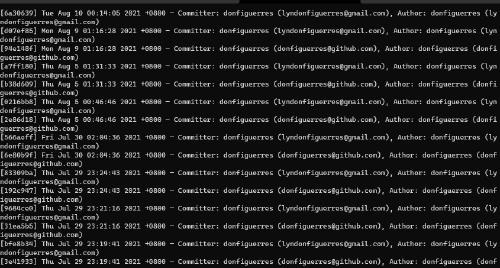
I recently observed in my GitHub profile that most of my commits are not shown in my contribution activity. After doing a quick search, I found that the problem because my email in my commits do not match the email associated with my GitHub account. Changing Commits in the Remote Repository You need to use the filter-branch command to change the emails and names. git filter-branch -f --env-filter ' GIT_AUTHOR_NAME="yourname"; GIT_AUTHOR_EMAIL="youremaill@host.com" GIT_COMMITTER_NAME="yourname"; GIT_COMMITTER_EMAIL="youremail@host.com" ' HEAD The command above changes the email and name for all of the commits. If you’re working on a shared repository, you need to use an if statement to change only your commits.

Tuesday, August 10, 2021 Read
Navigation
  • About
  • Skills
  • Experiences
  • Projects
  • Accomplishments
  • Education
  • Recent Posts
Contact me:
  • lyndonfiguerres@gmail.com

Toha Theme Logo Toha
Copyright © 2021-2022. donfiguerres.com. All rights reserved.
Powered by Hugo Logo